

Your First Agent
Build a hook-composed persistent agent, then compare the finite typed-job lifecycle.
Fabric has two intentional lifecycles. Start with a hook-composed persistent agent when the same
address receives messages over time. Use a finite defineAgent({ run }) job when one bounded,
schema-validated invocation should return one result.
The runtime (
stateless,inline,temporal) is configured atinit()and is independent of which entrypoint you import from.
Start with an agent function
Create .fabricharness/agents/assistant.ts:
import {
  createAgent,
  useModel,
  useSandbox,
} from '@fabric-harness/sdk';

function Assistant() {
  useModel('openai/gpt-5.5');
  useSandbox('virtual');

  return `Help the user solve their problem.
Verify important claims and explain the next concrete step.`;
}

export default createAgent(Assistant, {
  durability: { maxAttempts: 5, timeoutMs: 60 * 60_000 },
});
The named function is the readable center of the agent. Its return value becomes the instruction;
hooks attach capabilities in composition order. createAgent() preserves Harness's explicit,
discoverable persistent identity and keeps retry, timeout, policy, trigger, and initial-data metadata
available to the host before the function renders.
Run two messages against the same address:
fh agents
fh describe assistant
fh run assistant --id demo --new --prompt "What can Fabric Harness deploy?" --mock
fh run assistant --id demo --prompt "Which target fits a long approval wait?" --mock
What developers see
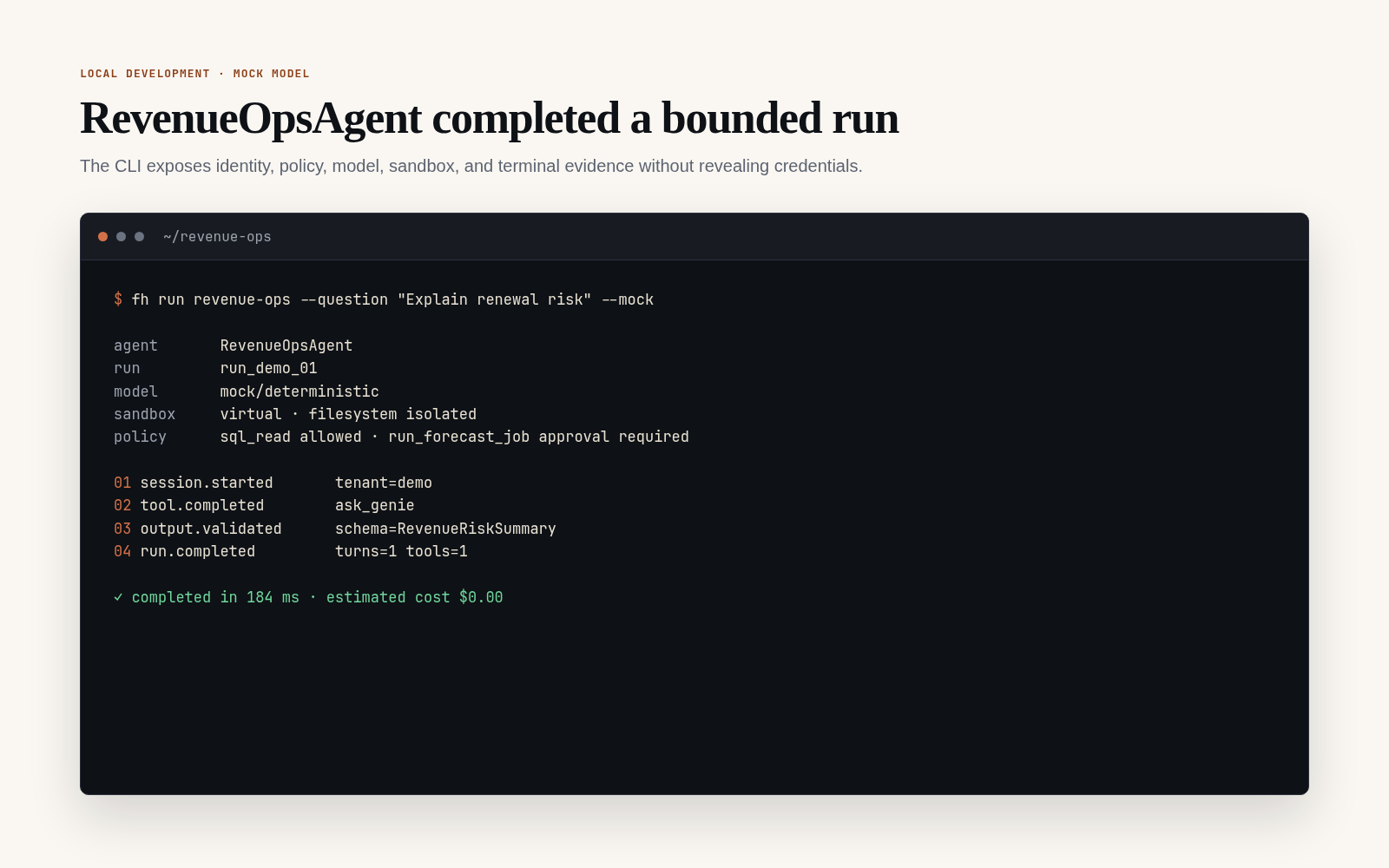
The executable output remains text so it can be copied into tests and support records. The representative terminal state below shows the evidence a completed run exposes without displaying credentials or provider internals.
Use Dynamic agents and hooks for conditional tools, durable state, lifecycle callbacks, MCP, and subagents.
Scaffold a project with fh init
npx @fabric-harness/cli init my-first-agent
cd my-first-agent
npm install
fh dev --mock
fh init scaffolds a runnable agent, role, skill, and config. Skip ahead to step 4 below to test it.
Choose persistence explicitly when the project needs it:
fh init support-app --template minimal --store memory
fh init support-app --template minimal --store sqlite
fh init support-app --template minimal --store postgres
memory is the infrastructure-free unified bundle. postgres generates postgresPersistence()
and reads DATABASE_URL from the environment. file and sqlite configure the existing local
session backends; use Postgres or Lakebase when submissions, streams, attachments, and finite runs
must survive process replacement.
Templates include default, minimal, data-analyst, support-agent, cloudflare, temporal, and databricks.
Build a finite typed job
1. Create the workspace (manual)
A Fabric Harness workspace is any directory with a .fabricharness/ folder.
mkdir my-first-agent
cd my-first-agent
mkdir -p .fabricharness/jobs
npm init -y
npm install @fabric-harness/sdk @fabric-harness/cli
2. Write the agent
Create .fabricharness/jobs/ask.ts:
import { defineAgent, schema } from '@fabric-harness/sdk';

export default defineAgent({
  name: 'ask',
  input: schema.object({ question: schema.string() }),
  output: schema.string(),
  triggers: { webhook: true },
  run: ({ input, prompt }) => prompt(input.question),
});
defineAgent({...}) lazily creates one default session and exposes prompt, skill, task, and shell directly in run. Use session() when you need a named session or another session-level API. Headless defaults still apply through the bare SDK import. The runtime stores and invokes this finite definition as a job.
import { defineAgent, schema } from '@fabric-harness/sdk/strict';

export default defineAgent({
  name: 'ask',
  description: 'Answers a question using the configured model.',
  input: schema.object({
    question: schema.string().describe('Question to answer'),
  }),
  output: schema.string(),
  model: process.env.FABRIC_MODEL ?? 'openai/gpt-5.5',
  triggers: { webhook: true },
  run: async ({ init, input }) => {
    const fabricAgent = await init({
      runtime: 'inline',
      sandbox: 'local',
      compaction: { enabled: false },
    });
    const session = await fabricAgent.session();
    return await session.prompt(input.question);
  },
});
From /strict every option is declared in source — nothing implicit. Required for Temporal-backed durability and recommended for compliance workloads.
Both forms register a finite job (fh describe ask works on either). Either import supports schemas, policy, artifacts, and skills — strict just refuses to inject defaults. triggers.webhook: true exposes the job at POST /jobs/ask on Node-derived targets and Cloudflare.
3. List and describe
From the workspace root:
fh agents
fh describe ask
fh run ask --question "What is Fabric Harness?" --mock
describe prints the input/output schema, declared model, default target, and any examples. Use --json if you need machine-readable output.
4. Run it
fh run ask --question "What is Temporal?" --mockBehind the scenes the CLI:
- Discovers
.fabricharness/jobs/ask.ts. - Loads workspace config (
.fabricharness/config.ts, optional). - Picks a model — CLI flag →
FABRIC_MODELenv → config → agent default. - Validates the input against the declared Fabric schema.
- Calls
run({ input, prompt, skill, task, shell, session }). - Validates the output against the declared Fabric schema.
- Persists the session under
.fabricharness/sessions/.
Other ways to pass payload:
fh run ask --payload '{"question":"What is Temporal?"}'
fh run ask question="What is Temporal?"
fh run ask --payload-file input.json
echo '{"question":"hi"}' | fh run ask --stdin
5. Use a real model
Put provider keys once in the repo-level .env.local; Fabric Harness auto-loads repo/workspace .env and .env.local files, and shell env still wins.
cp .env.example .env.local
# edit .env.local and set OPENAI_API_KEY=...
fh run ask --model openai/gpt-5.5 --question "What is Temporal?"
For repeated use, put the model in .fabricharness/config.ts so you do not need --model either.
Never paste API keys into source files or session artifacts. Use
.env.local, a secret store, or shell environment variables.
6. Inspect what happened
fh sessions
fh inspect <session-id>
fh logs <session-id>
fh metrics <session-id>
Next steps
- Workspace layout — the rest of
.fabricharness/. - Configuration —
config.ts, env precedence, model defaults. - Building agents — skills, roles, tools, sandboxes.
- CLI reference — every command.